

Every SCP investor has access to our investor portal; the online platform where you can view, order, and track your investments with us. There are many benefits to using the portal – in fact, many of our investors tell us that once they became familiar with the platform, it’s made managing their investments stress free.
The portal is designed to be your one-stop shop, giving you 24/7 visibility of your investments from wherever you are in the world. This month, we're taking a closer look at four features that can make a real difference to how you use it: the On-Call account, pre-ordering investments, accessing statements and tax advice, and printing from the portal.
Getting the most from your On-Call account
Your On-Call account, found under My Investments, is the clearest way to see the flow of funds across your portfolio. It shows new money you deposit and which investment it's gone to, loans that have repaid and where those funds have been sent, and any partial repayments you've received, including which loan they've come from.
We recommend checking your On-Call account regularly, as it's the most accurate and up-to-date record of your transactions. If you have any questions, our team is happy to talk you through it during business hours on 09 535 2239.
Pre-ordering your next investment
Seeing an investment you like, but don't have funds in your On-Call account yet? You don't need to miss out. Investments can be ordered at any time, regardless of your current balance; whether you're waiting on funds from another source or you know a current investment is due to repay in the coming days.

Orders can be placed up to 14 days ahead of funds being deposited, and they'll show as PENDING in your portfolio and under My Investments. If your plans change or the 14 days passes, we won't cancel the order automatically; we'll be in touch with a reminder first. The portal will even calculate how much you still need in your On-Call account to complete the investment, so there's no guesswork involved. The moment your cleared funds land, the investment begins automatically.
Accessing statements and interest advice
Tax time is far simpler through the portal. Statements are available under the STATEMENTS tab in My Investments and can be downloaded to send to your tax adviser or keep for your own records.
Each April, you'll be able to download your Interest Advice document, which sets out how much interest you've earned, the tax deducted and paid to the IRD on your behalf, and your net interest received. We also provide detailed transaction statements for your portfolio every six months, available for download in April and October.
.jpeg?width=1074&height=300&name=Screenshot_23-7-2026_112655_peadpr-my.sharepoint.com%20(1).jpeg)
Still want to be able to print?
We understand that having a paper copy of investments and transactions still appeals to some investors. That ability is still available on the investor portal.
Transactions
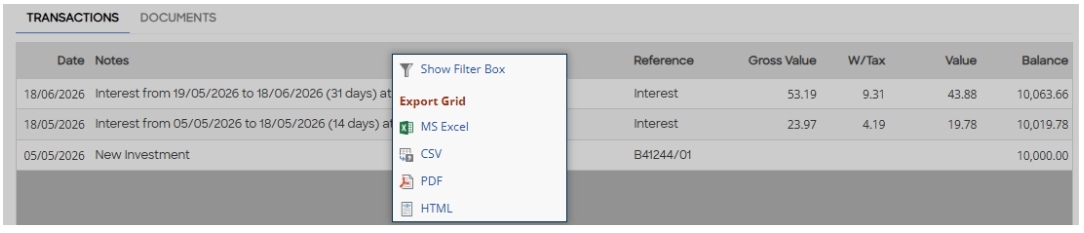
For a list of transactions on any investment, or your on call account, using a mouse right click the grey bar to bring up a menu of different types of files you can download to your computer, and then print.
If you are using a smartphone or tablet/iPad press and press and hold the grey bar and the same menu appears.
Loan Details
To view and print the loan details of any investment you have, select the View button, next to the loan number. This will bring up the current information page of the loan you are invested in.
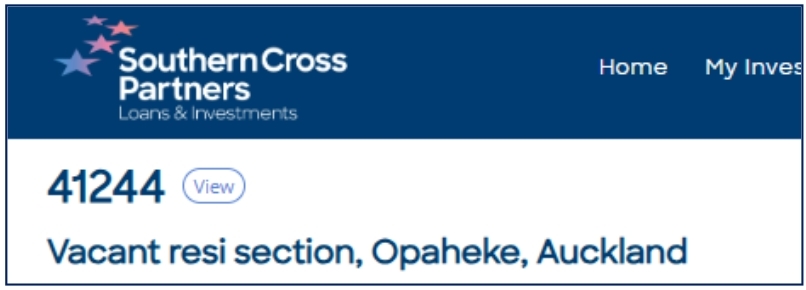
This can be useful to keep track of any construction loans you are a part of as the details are updated when each stage of the build is completed.
Using technology can be daunting at first, that’s why we put together a guide to assist with using the portal.
Click here to download your own copy, or if you prefer a hardcopy, please do not hesitate to get in touch on 09 535 2239 during business hours or email us at investments@scpartners.co.nz.

.png)